
Operations
Automated Job Dispatch and Cleaner Assignment
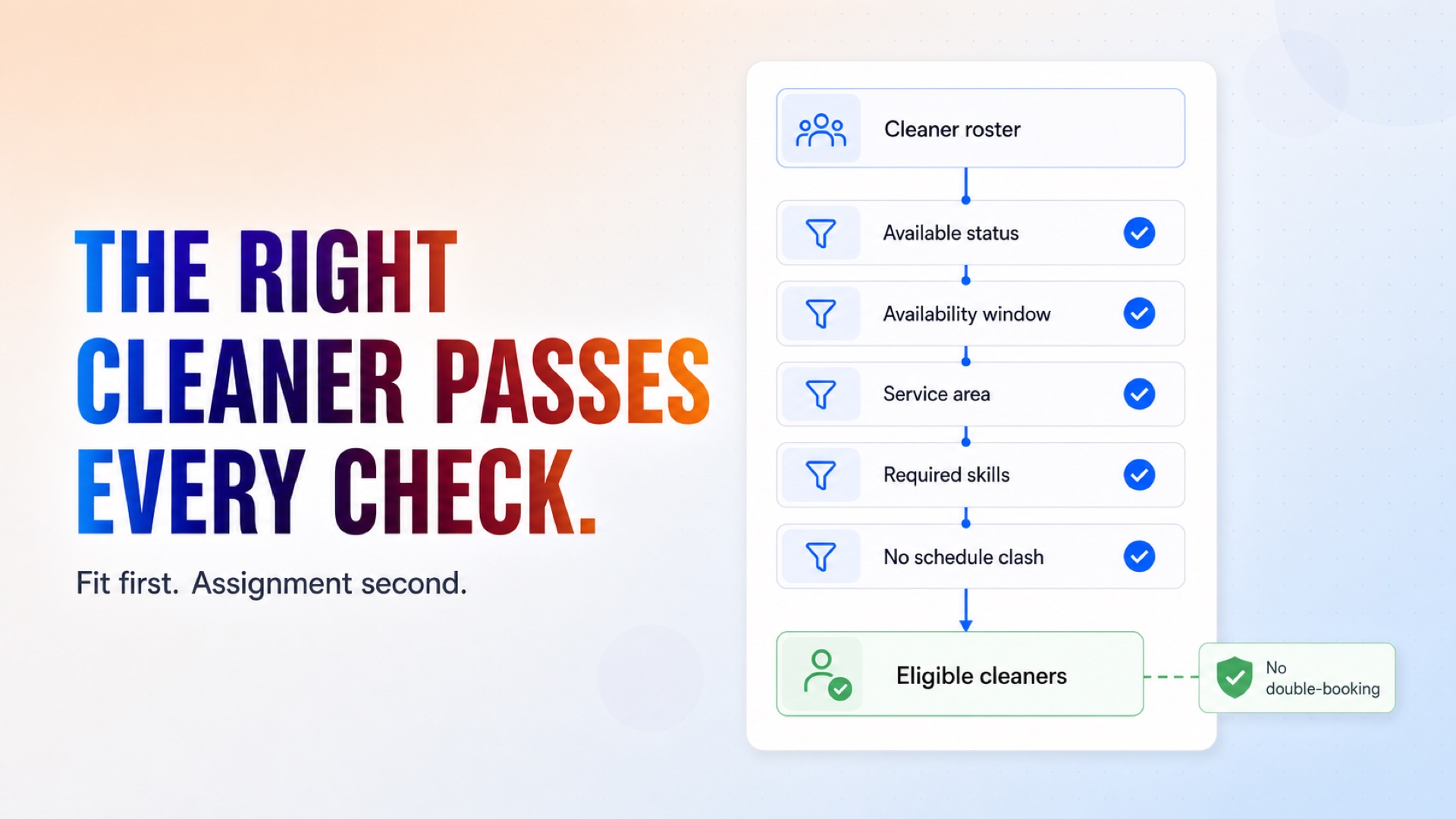
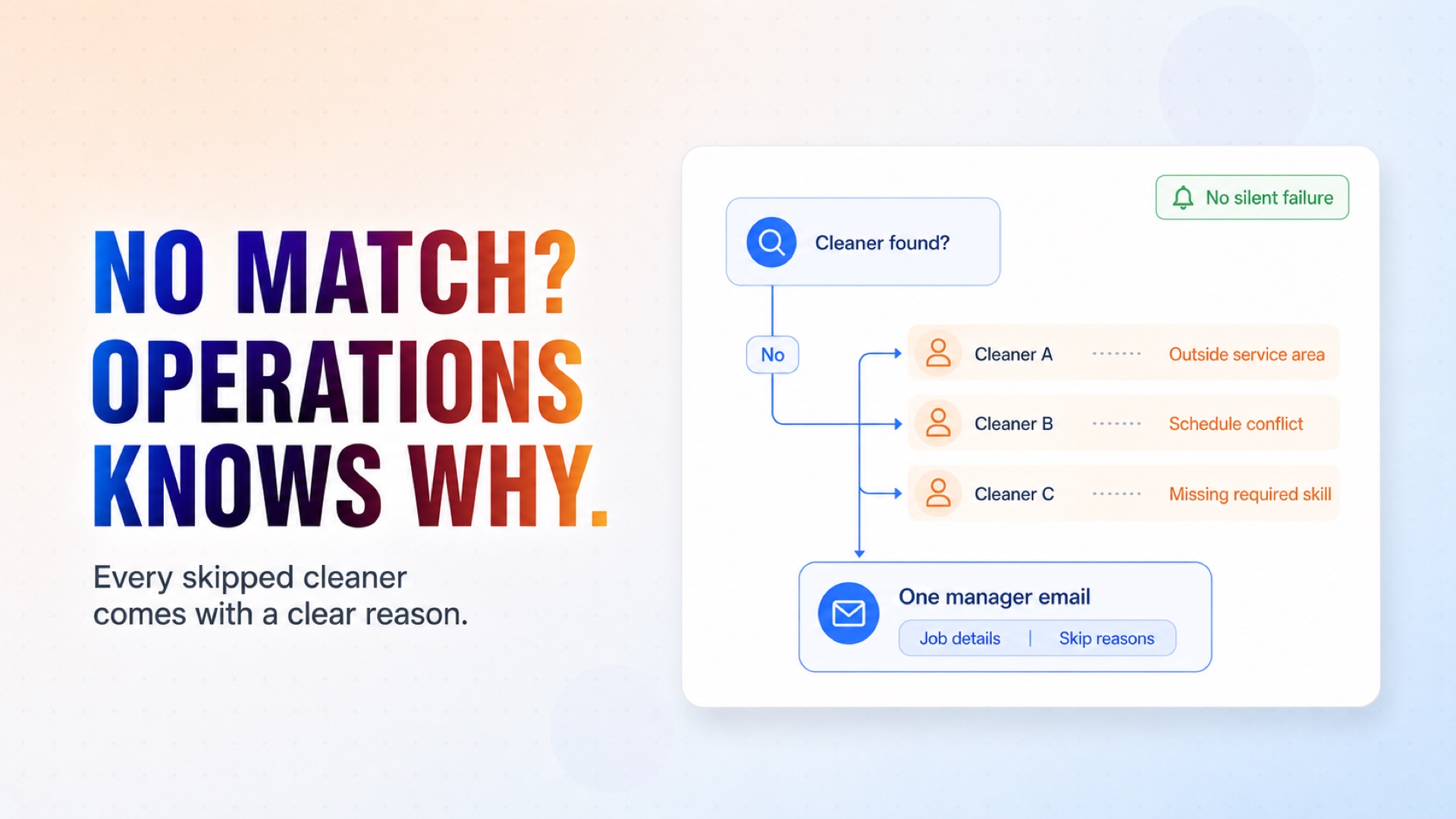
Receives a cleaning job from Google Calendar and checks cleaner availability, skills, service area, and existing assignments in Google Sheets. Selects a suitable cleaner, sends an Email notification, records the assignment, and alerts operations if nobody is available — automating job dispatch without manual scheduling.
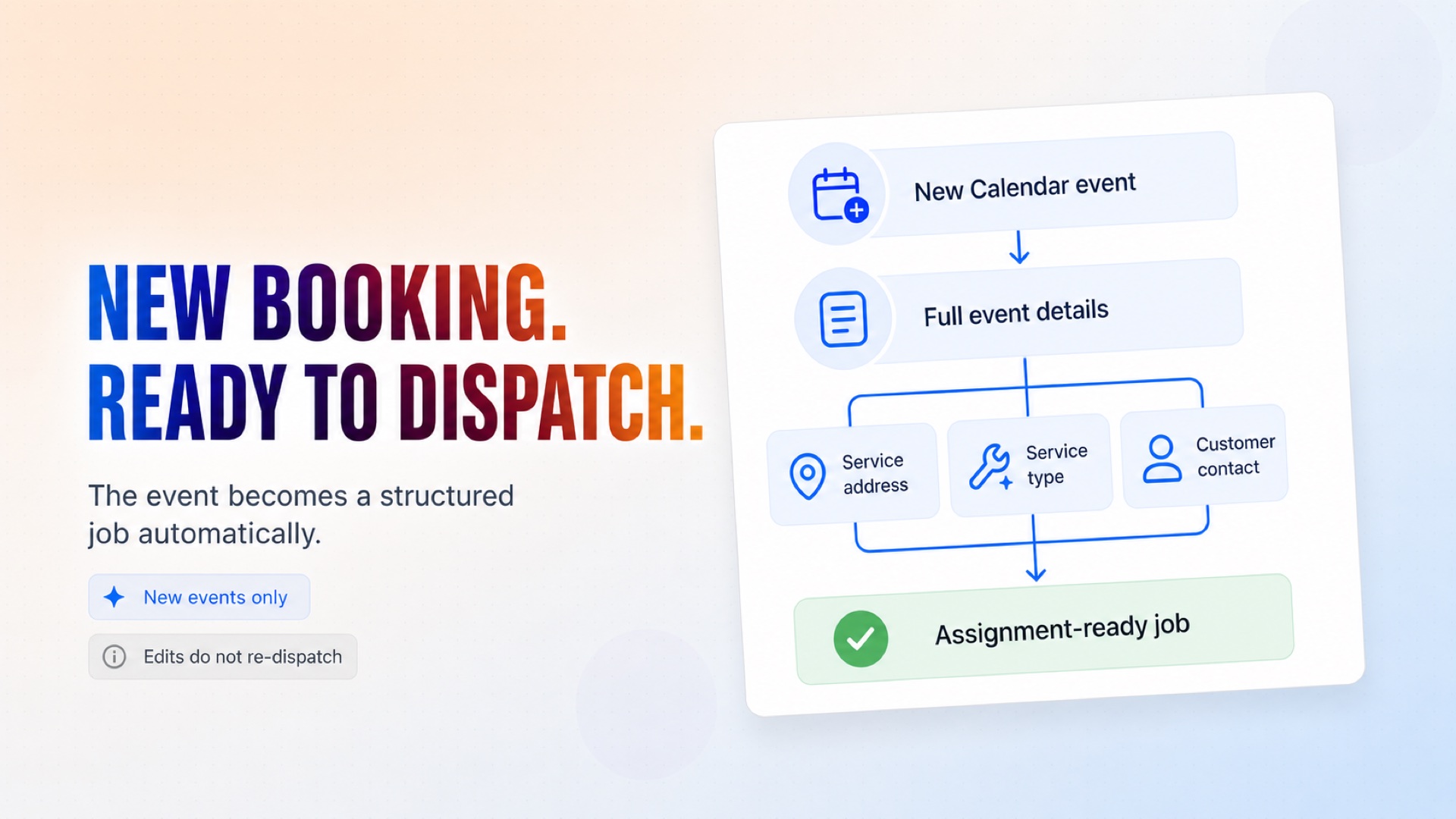
Turn every new Calendar event into a structured, assignment-ready cleaning job.
How it works
What's included
The key things this template does for you.
Detects new cleaning jobs from Google Calendar instantly
Creates and maintains its own CRM spreadsheet (cleaner roster + assignments log) in your Drive
Checks availability, skills, service area and schedule conflicts — nobody gets double-booked
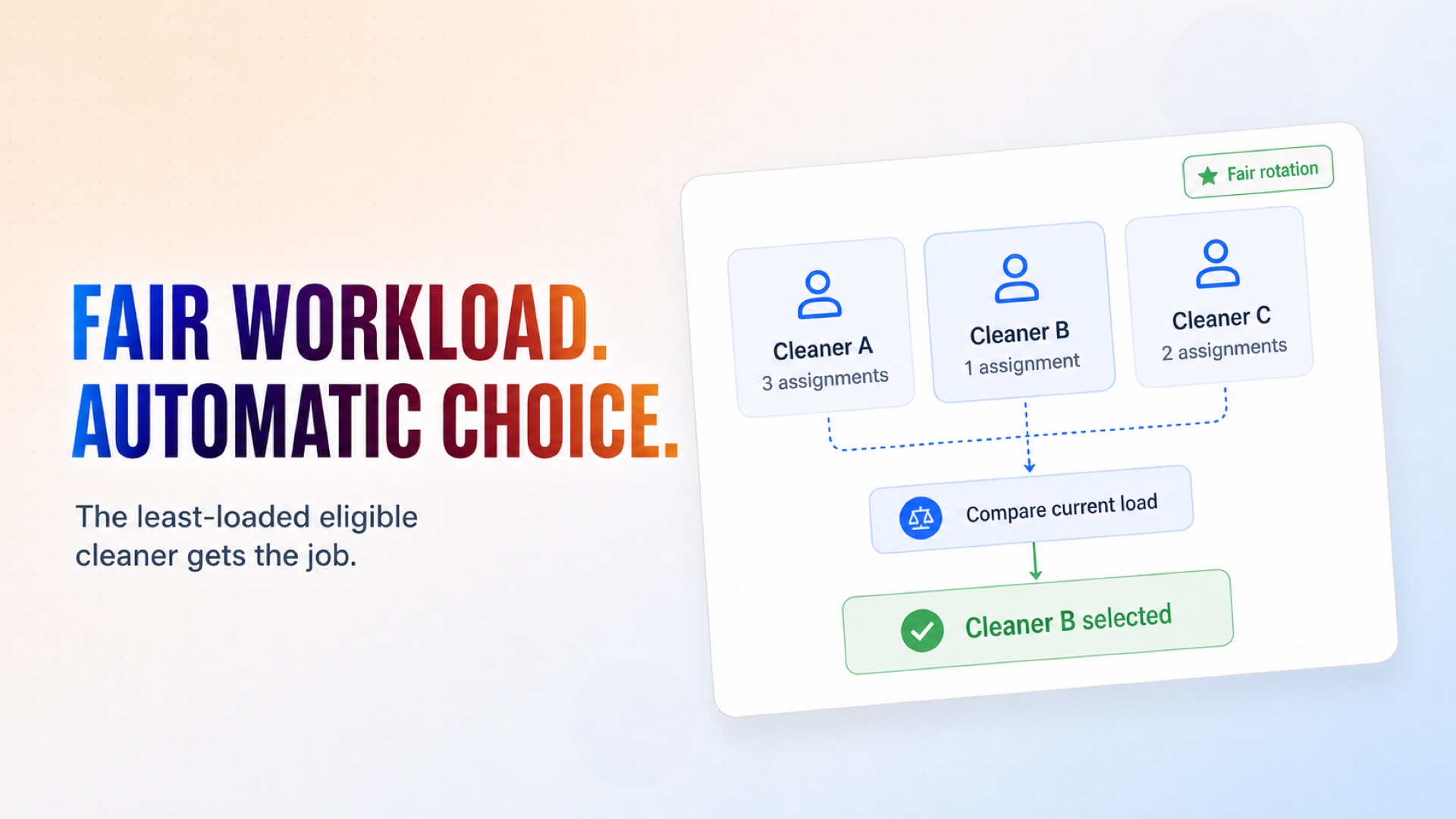
Rotates jobs fairly to the least-loaded cleaner
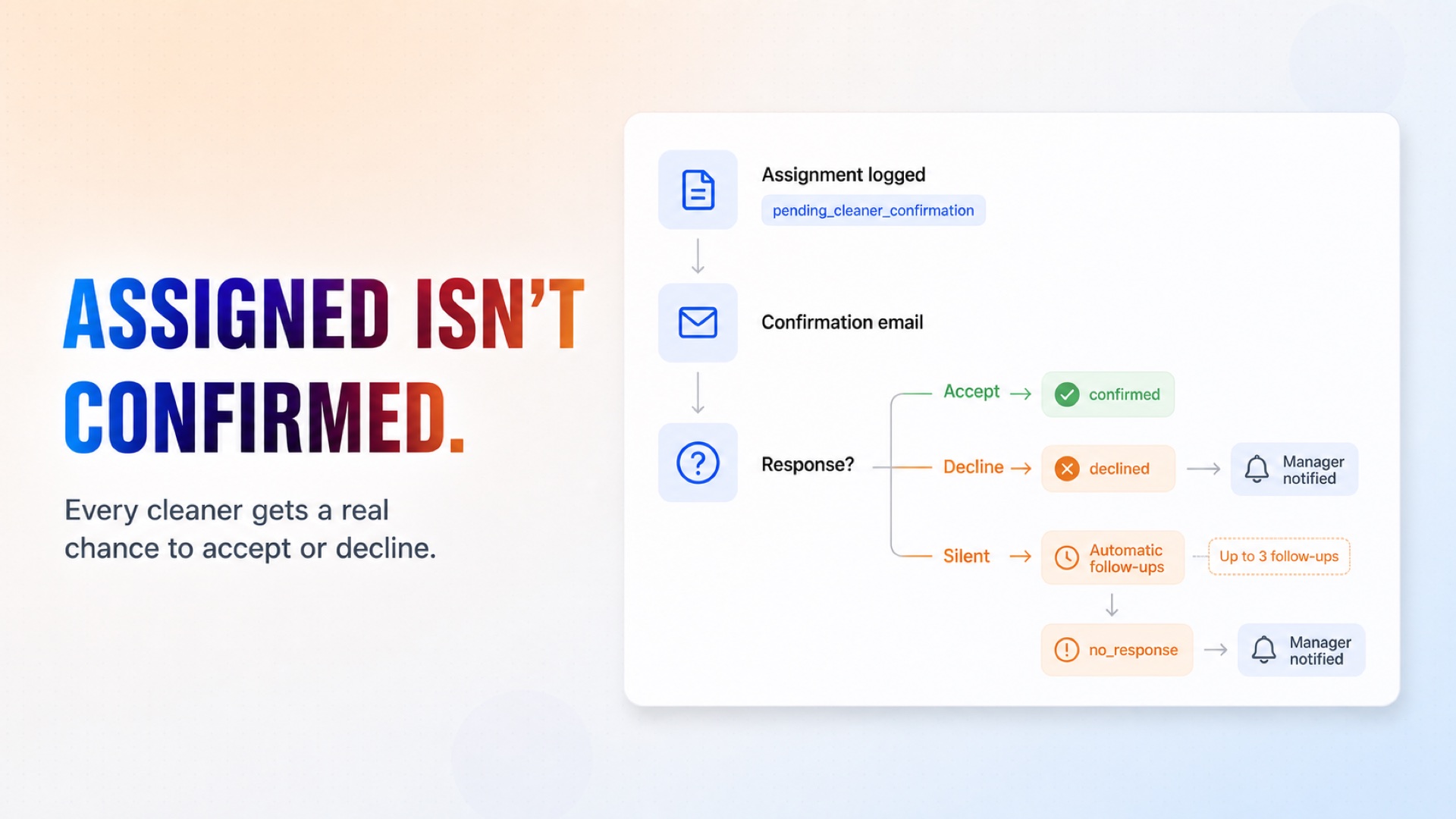
Gets a real confirmation from the cleaner by email, with automatic follow-ups
Keeps the assignment log current by itself: confirmed, declined or no_response
Alerts your manager — with reasons — when nobody fits or the cleaner doesn't confirm
Installation
What setting this up involves.
Deploy the template and enter your operations manager's email.
Connect Google Calendar so the agent sees new jobs the moment they're booked.
Connect Google Sheets — the agent creates its Cleaner CRM spreadsheet in your Drive on the first run, nothing to prepare.
Connect Gmail — it asks cleaners to confirm their jobs and alerts your manager when needed.
Add your real cleaners to the Teams tab (a sample roster is included), then create a test job event in your calendar.
~6 min to launch
Free to start. You will sign in first, then set it up.
Connect 3 tools, fill in a few details, and install it. No coding.
FUNCTION
OperationsTAGS
Built by CogniAgent
Official template