
Sales
AI Quote Sending Agent
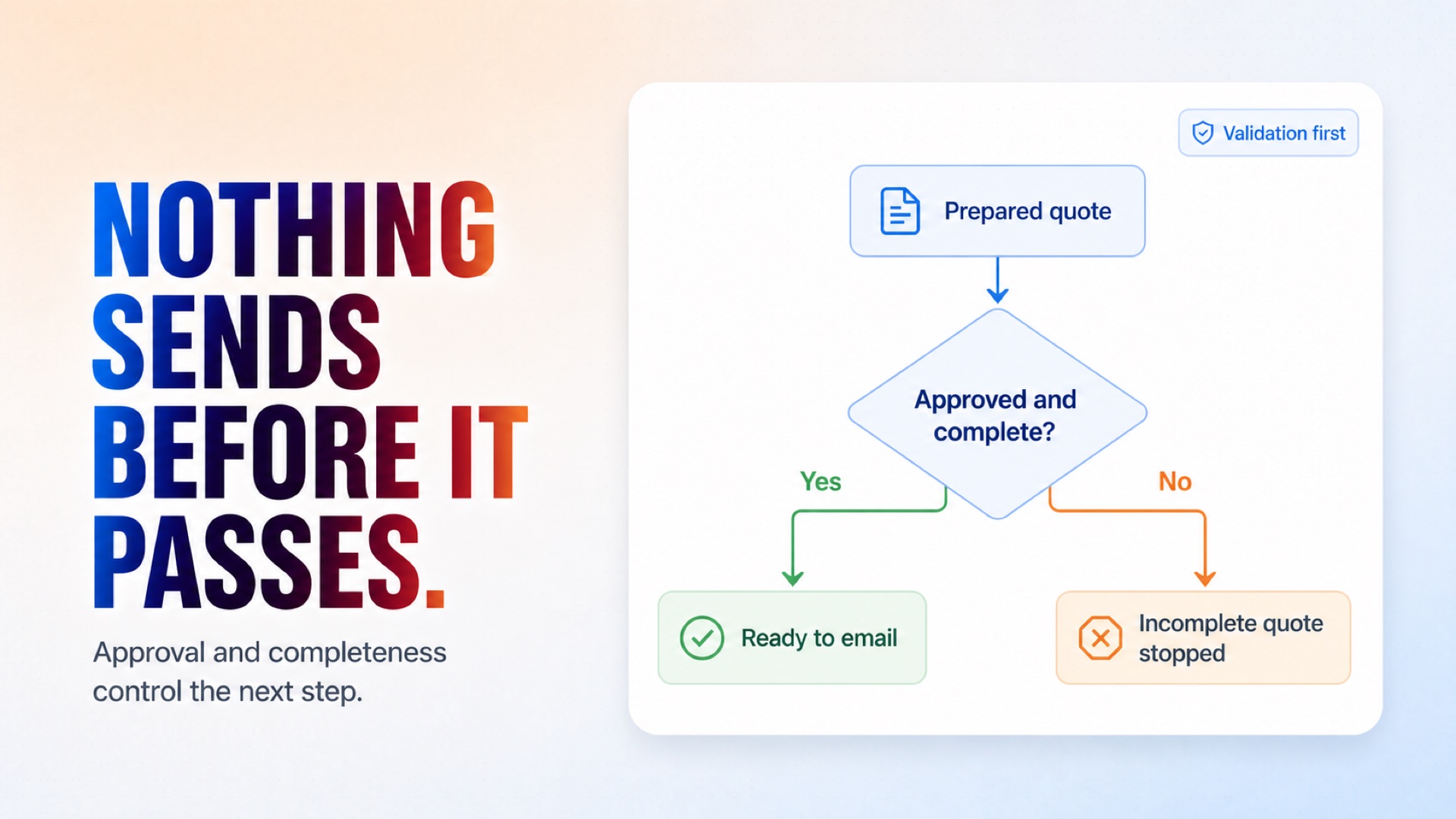
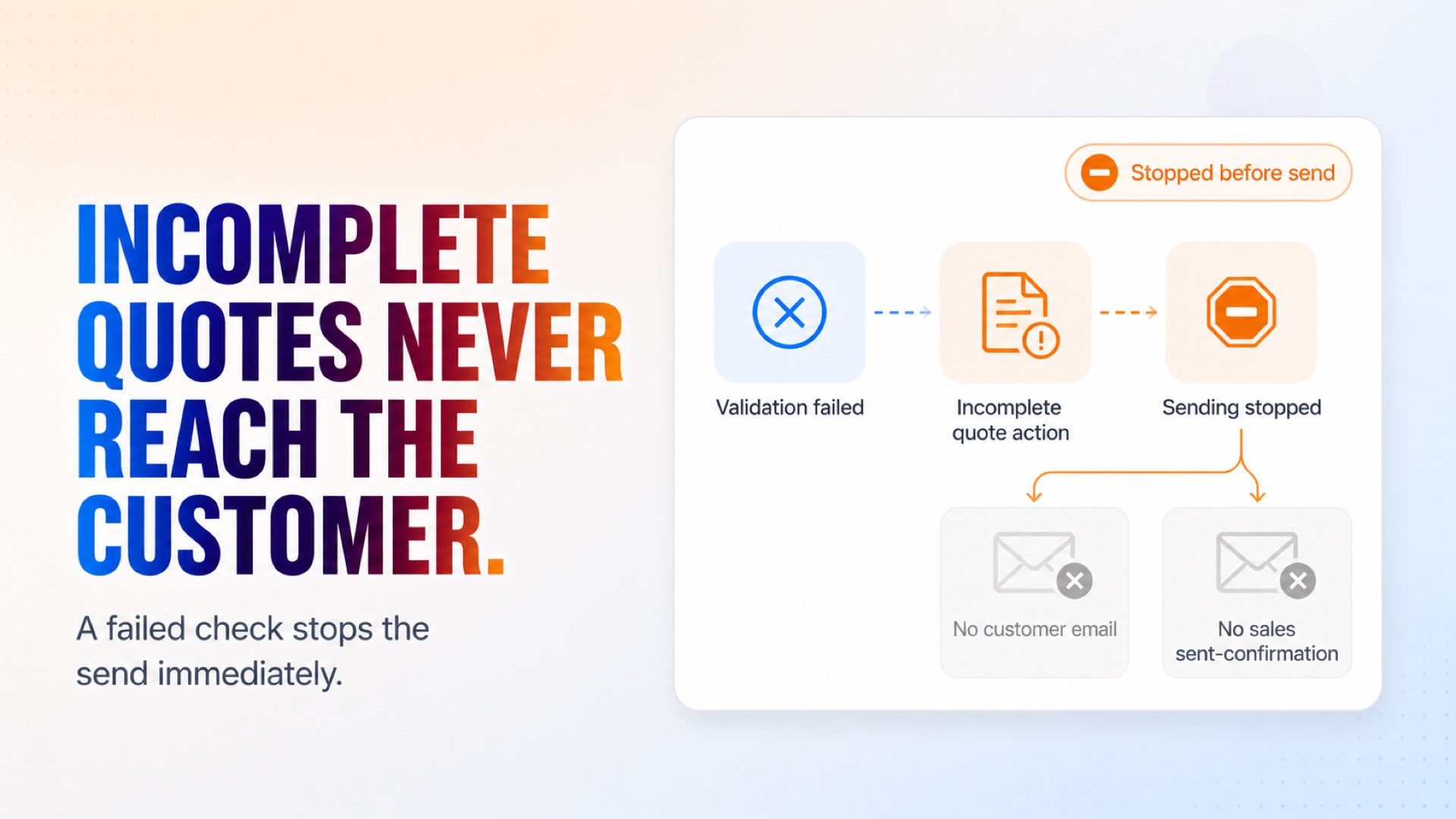
Receives prepared quote details and validates the customer information before sending the cleaning quote by email. If manual attention is required, the agent alerts the sales team so the lead isn't left unhandled.
Bring prepared quote details into the workflow for validation before sending.
How it works
What's included
The key things this template does for you.
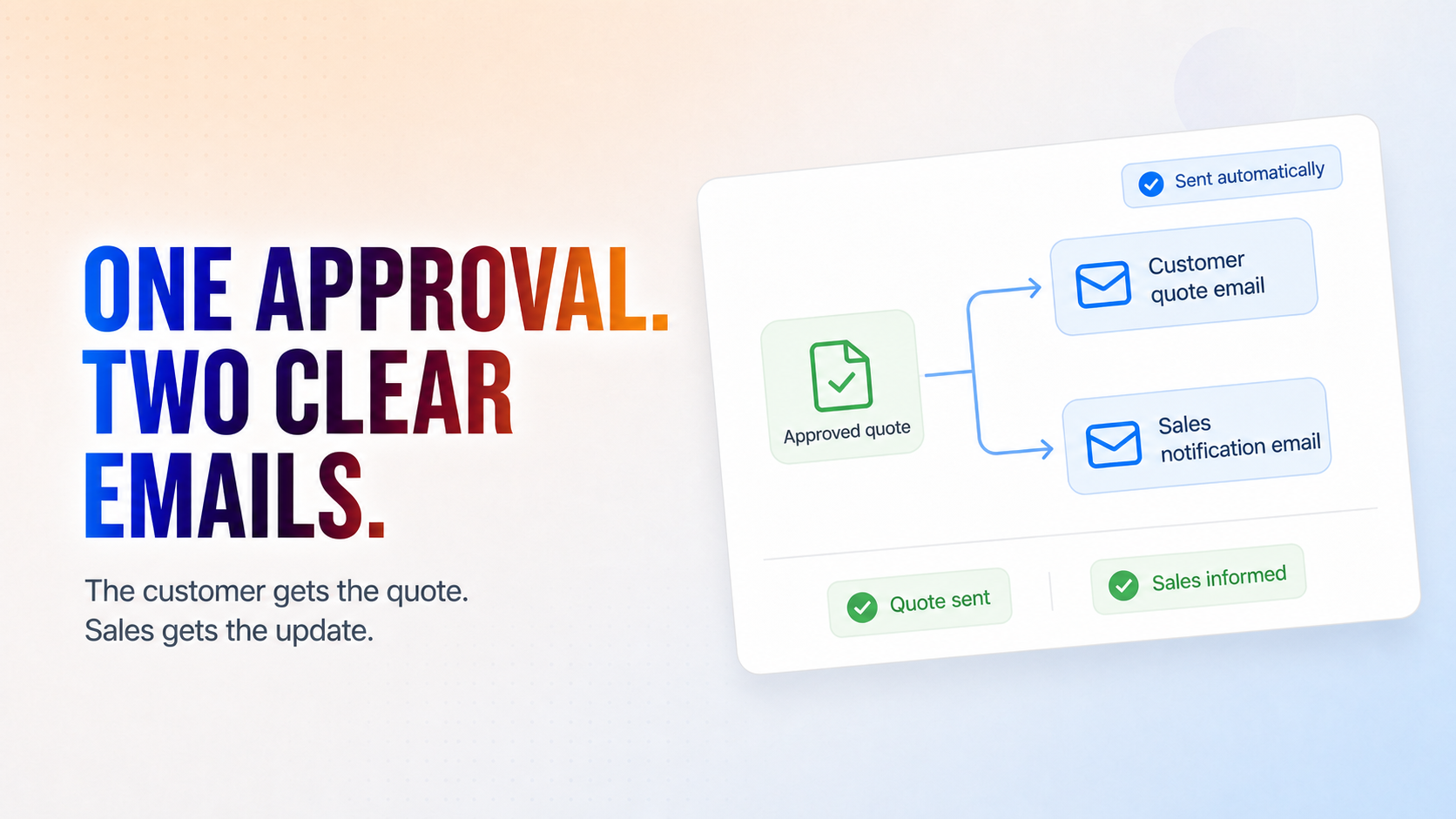
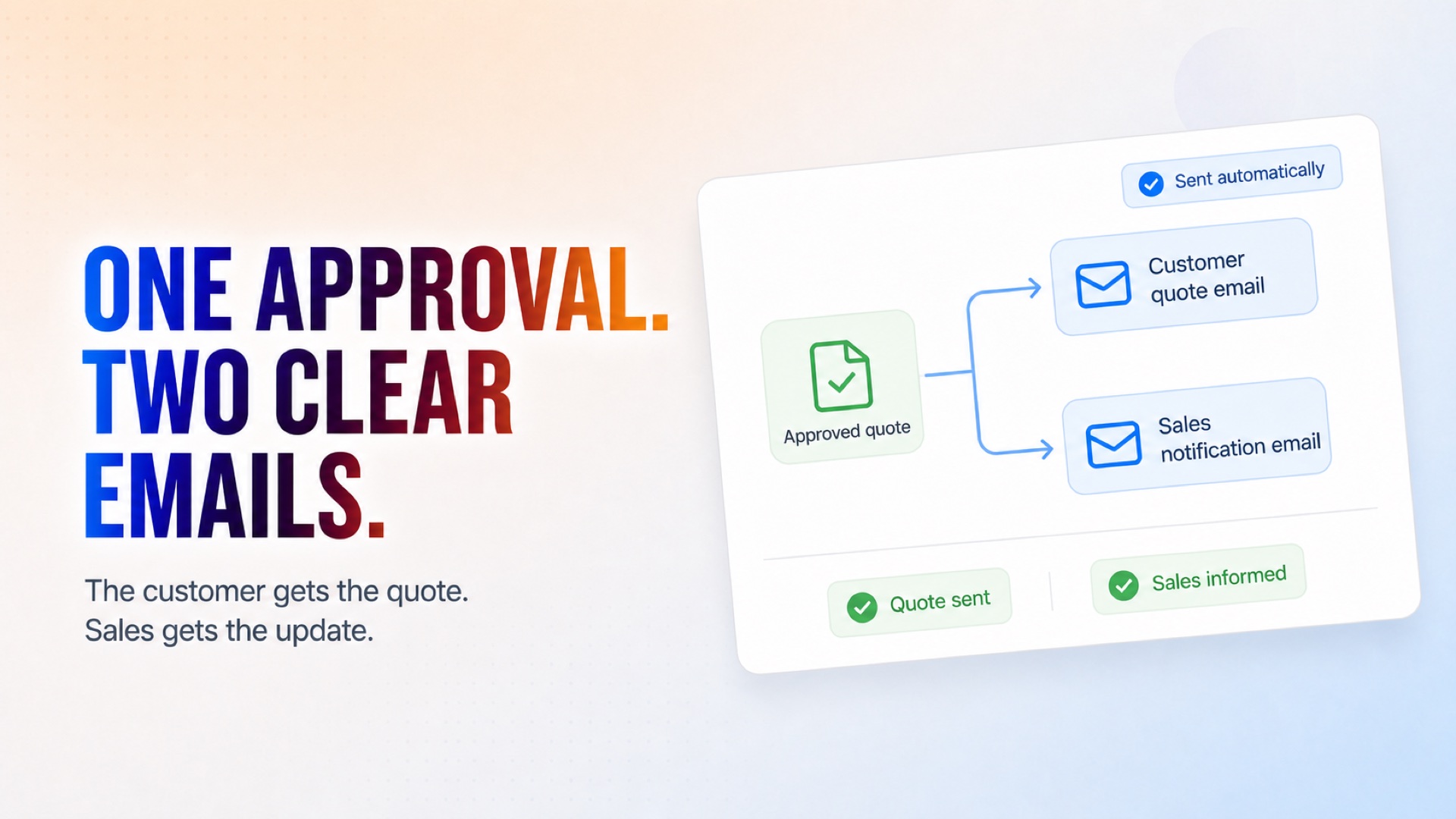
Approved quotes emailed to customers automatically
Incomplete quotes stopped before they reach a customer
Sales team notified the moment a quote goes out
No manual quote-sending needed
Installation
What setting this up involves.
Connect your Gmail account — Authorize the Gmail connection so the agent can send quotes and notifications on your behalf.
Set up the entry point — Configure the "Approved quote ready to send" trigger with your required parameters (e.g., quote_id, currency, frequency, and other quote details).
Review the quote validation step — Confirm the completeness check reflects what counts as an "approved" quote for your business.
Customize the email templates — Update the customer quote email and the sales team notification email with your messaging.
~4 min to launch
Free to start. You will sign in first, then set it up.
Connect 1 tool, fill in a few details, and install it. No coding.
FUNCTION
SalesTAGS
Built by CogniAgent
Official template